
Bullhorn Portalen

Get more value from Bullhorn with ready-made recruitment portals
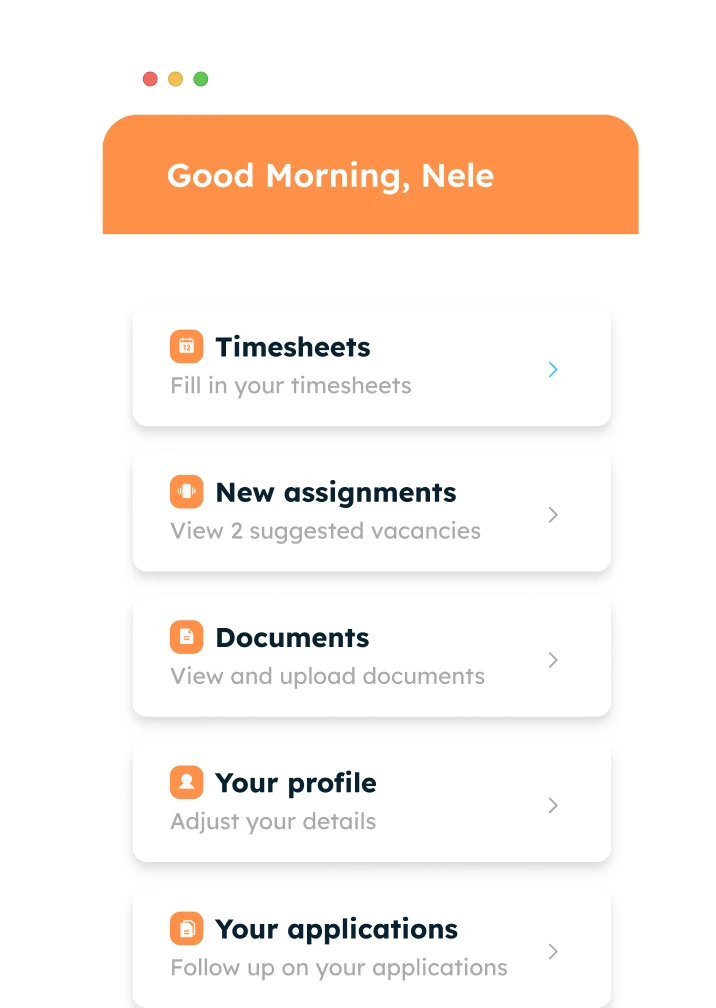
Turn Bullhorn into a complete digital experience for candidates, clients and suppliers.
Why Minggo

Bullhorn stores the data. Work still happens around it.

Recruiters spend hours chasing documents, collecting feedback, updating records and managing communication outside their ATS. Minggo brings these interactions into connected portals while Bullhorn remains your system of record.

Why recruitment agencies add Minggo to Bullhorn

Extend Bullhorn with connected experiences for candidates, clients and suppliers. Reduce admin, improve collaboration and keep your recruitment process moving.

Reduce manual admin

Automate document collection, status updates and repetitive follow-up so recruiters can focus on placements.

Candidate self-service

Let candidates update profiles, upload documents and track applications without contacting recruiters.

Faster client feedback

Help clients review candidates, approve submissions and respond faster through one central experience.

Scale through suppliers

Share vacancies, collect submissions and manage supplier relationships more efficiently.

Built around Bullhorn

Keep every interaction connected to Bullhorn without replacing your existing ATS.

Launch in weeks, not months

Start from proven templates instead of building custom portals from scratch.
Ready made portals

One platform. Multiple recruitment workflows.

Candidate portal

Reduce candidate chasing and keep data up to date

Give candidates a self-service portal where they can update details, upload documents and track applications, while recruiters spend less time on administration.

  • Candidate profile updates
  • Document collection & compliance
  • Application status tracking
  • Real-time ATS synchronisation
Client portal

Speed up feedback and improve client service

Give clients one place to review candidates, submit vacancies and approve contracts without endless emails and phone calls.

  • Candidate review & approvals
  • Vacancy requests
  • Contract signing
  • Connected to your ATS
Supplier portal

Scale your recruitment capacity through suppliers

Share vacancies, receive candidate submissions and track progress through a central portal instead of scattered spreadsheets and inboxes.

  • Vacancy distribution
  • Candidate submissions
  • Status tracking
  • Supplier dashboards
How it works

Build in just a few clicks, configure endlessly

Your portal will be live in just a few steps, exactly the way you want it.

Step 1

Configure and personalize

Start with a template and customize the branding, menu, fields, and URL until the portal is truly yours.
Step 1

Configure and personalize

Start with a template and customize the branding, menu, fields, and URL until the portal is truly yours.
Step 1

Configure and personalize

Start with a template and customize the branding, menu, fields, and URL until the portal is truly yours.
Step 1

Configure and personalize

Start with a template and customize the branding, menu, fields, and URL until the portal is truly yours.
De voordelen op een rij

Transparantie zonder extra werk

Een branded self-service portaal dat je kandidaten informeert én je database automatisch schoonhoudt.

Blije, geïnformeerde kandidaten

Kandidaten volgen zelf hun status en volgende stappen. Minder vragen, meer vertrouwen en een sterkere kandidaatbeleving.

Minder administratie, schonere data

Kandidaten beheren zelf hun gegevens, uren en documenten. Jij bespaart tijd en houdt je ATS automatisch actueel.

Helemaal jouw merk

Van menubalk en velden tot URL en branding: het portaal voelt als een naadloos verlengstuk van jouw bureau.

Realtime verbonden met je ATS

Tweerichtingssync met o.a. Bullhorn en Carerix. Wat de kandidaat wijzigt, staat meteen goed, zonder dubbel werk.
Resultaten

Hoe onze klanten het klantenportaal gebruiken
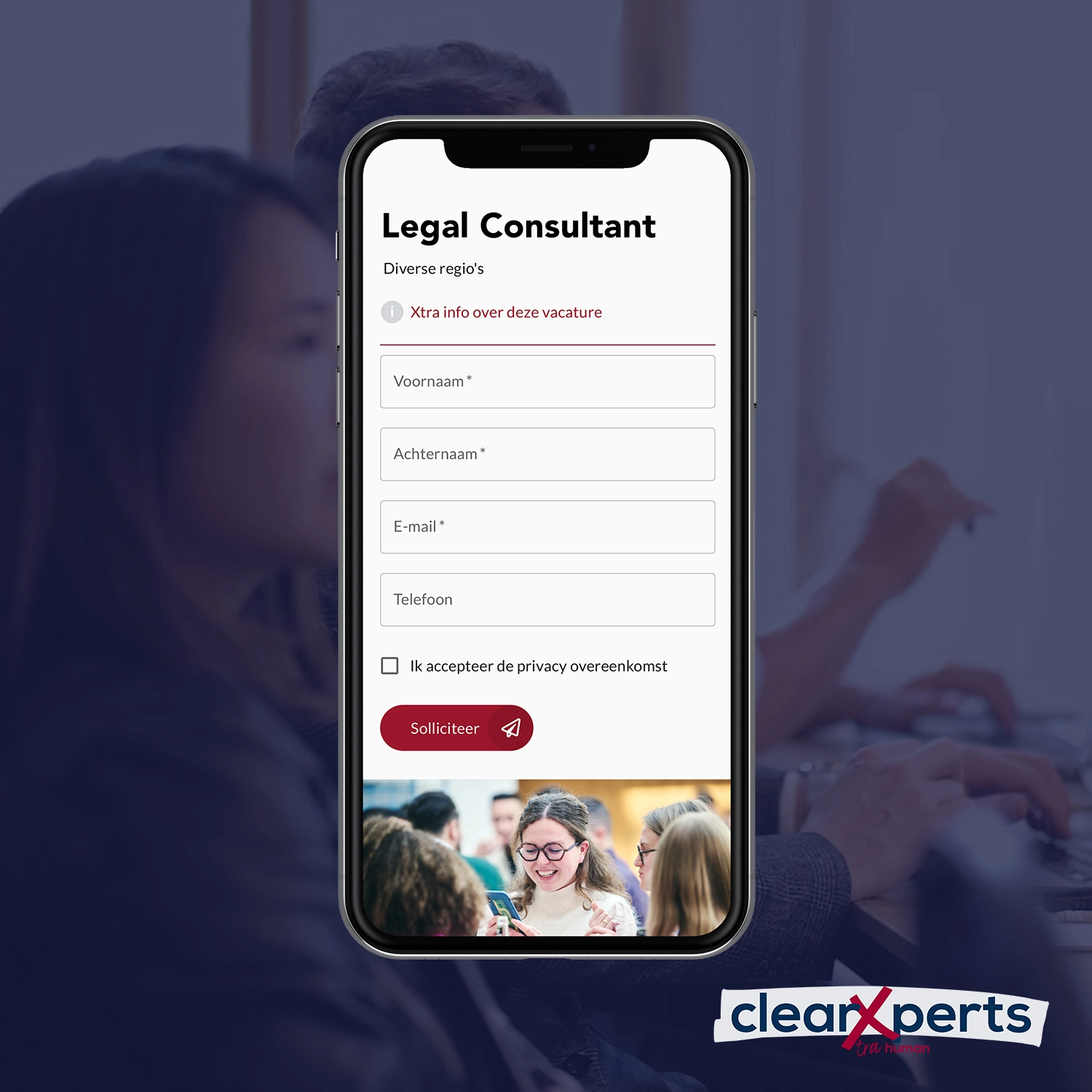
How ClearXperts minimized recruiters' manual work

Ontdek onze andere oplossingen

Bouw interfaces, flows en integraties over schermen en databronnen heen.
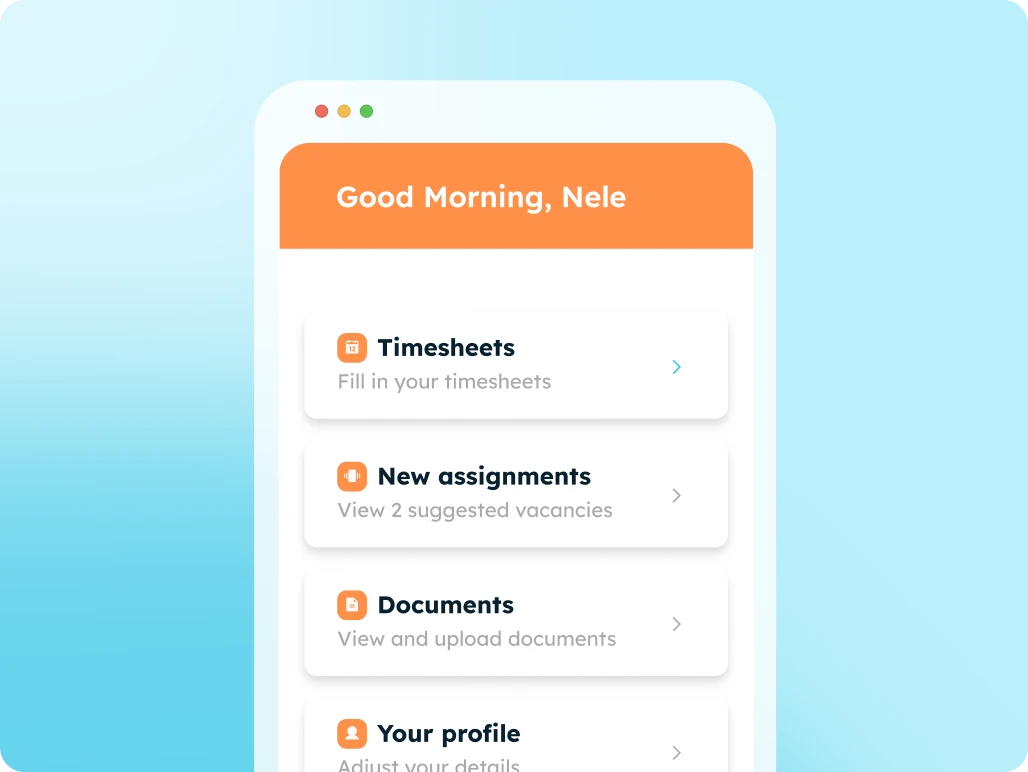
Candidate Portal

Digitize all your communication and administration with candidates using an all-in-one candidate portal.
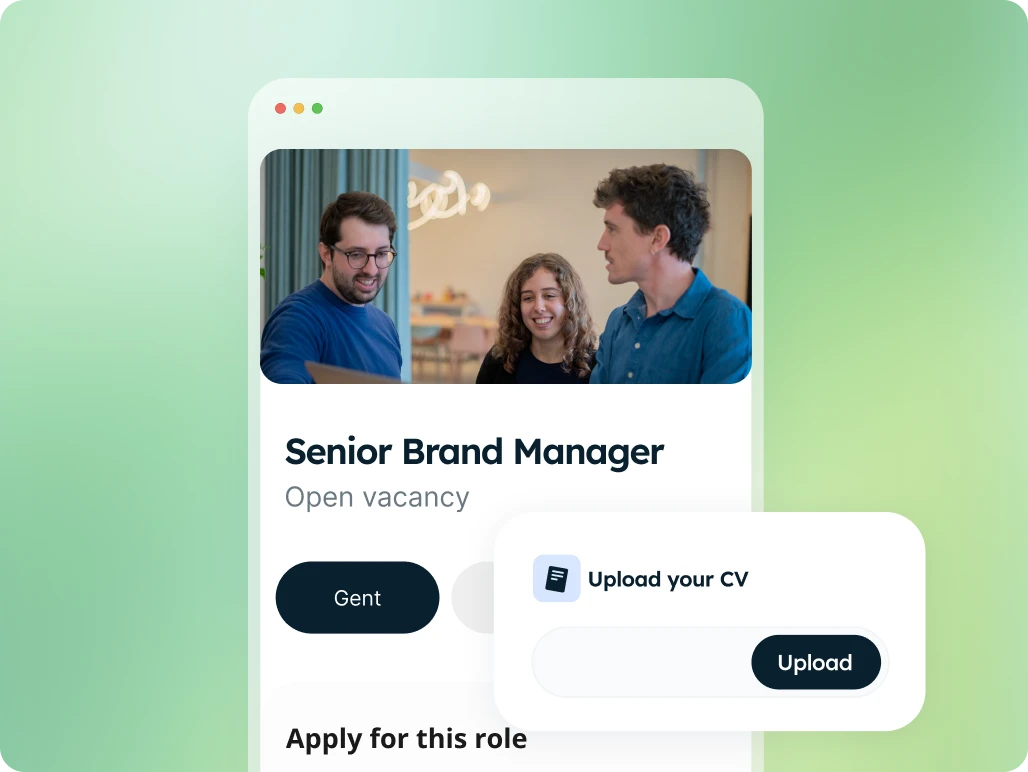
Apply Page

High-converting job application pages with integrated forms, linked directly to your ATS.
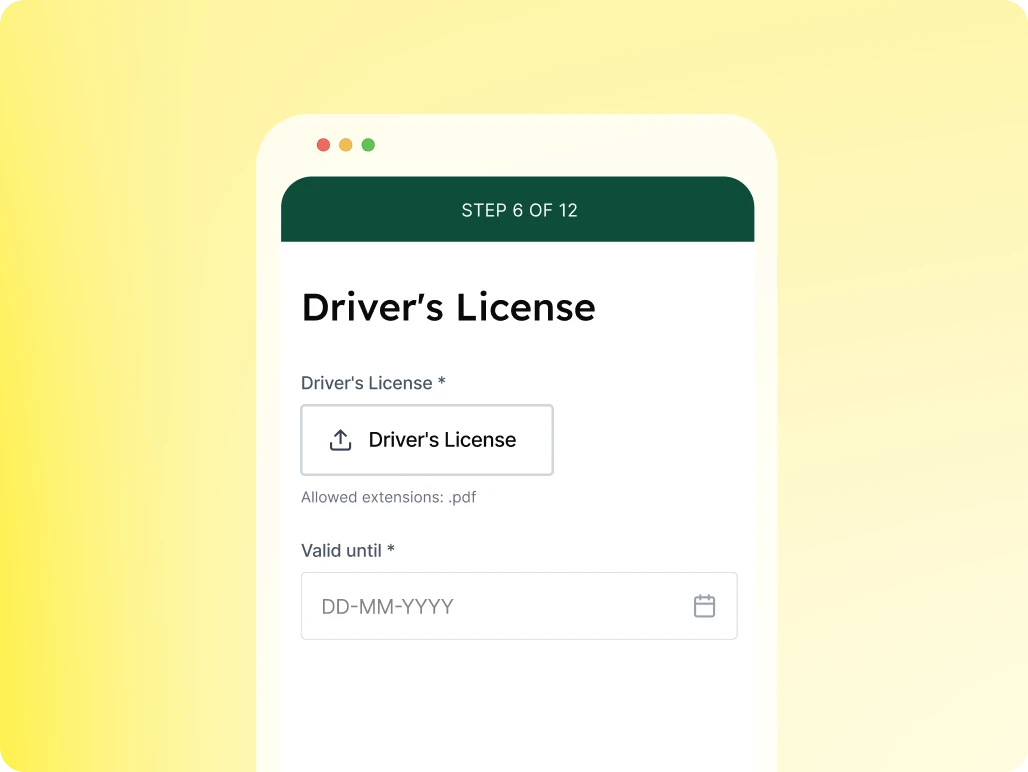
Profile Enrichment Flow

Automate specific questions for candidates to keep your database up to date.

Client Portal

Accelerate your communication and administration with an all-in-one client portal.
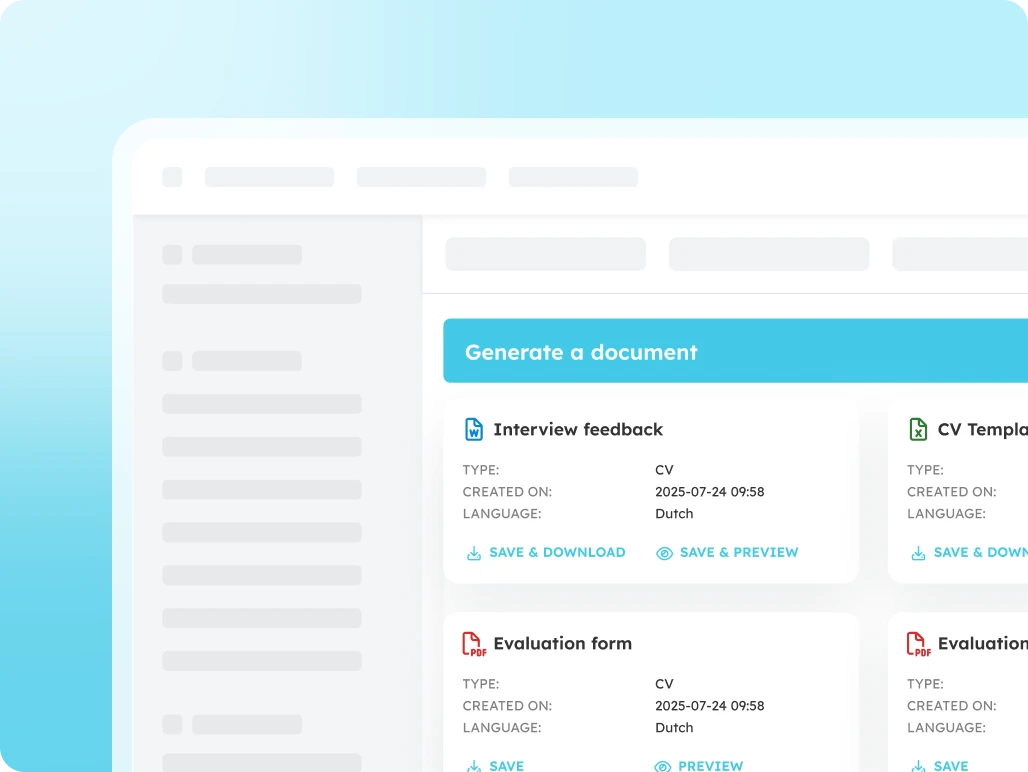
Document Generator

Generate error-free documents directly within your ATS.
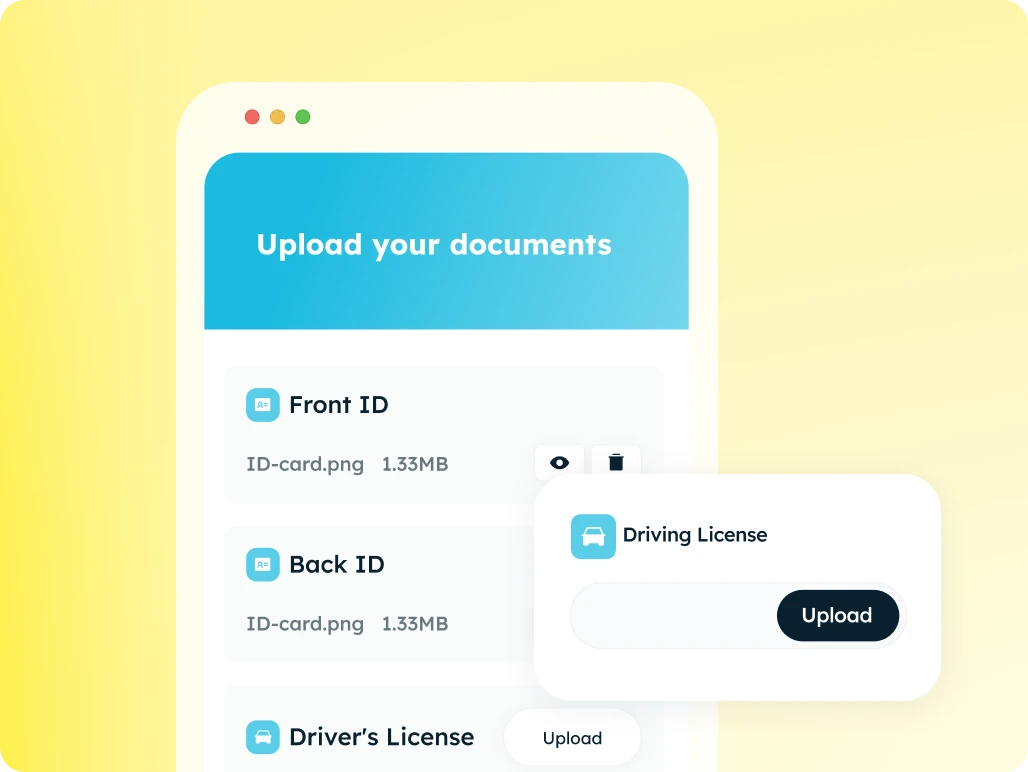
Document Request Flow

The fastest and most secure way to collect documents automatically.
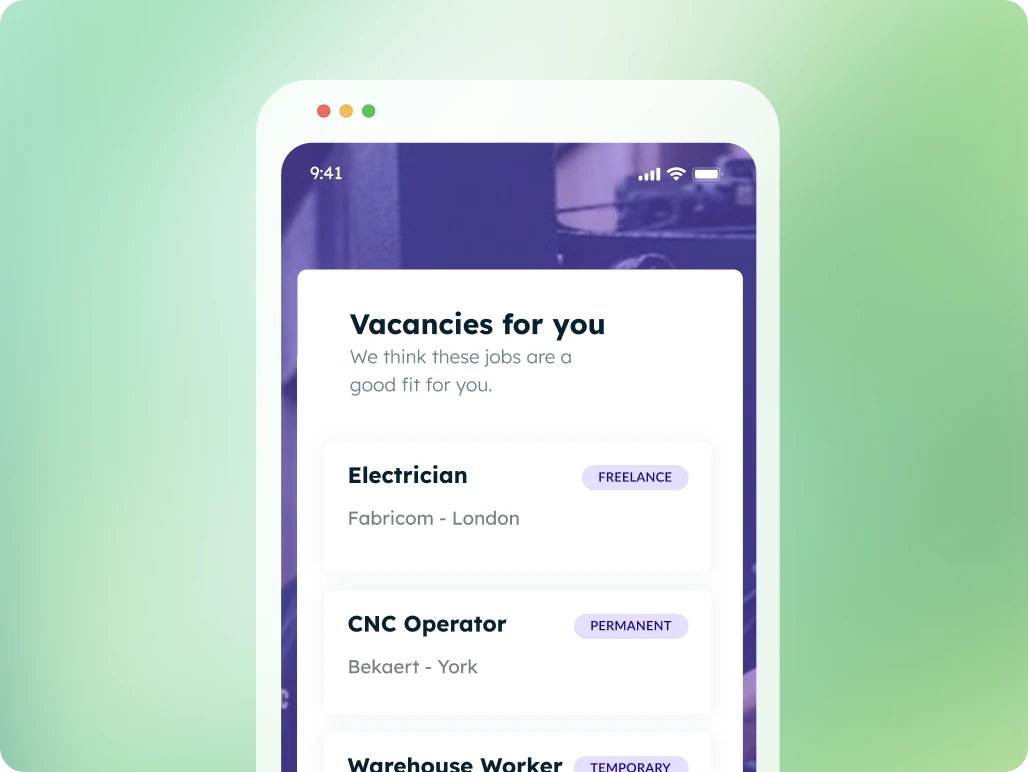
Job Presentation

Suggest tailored job openings, candidates apply with a single click
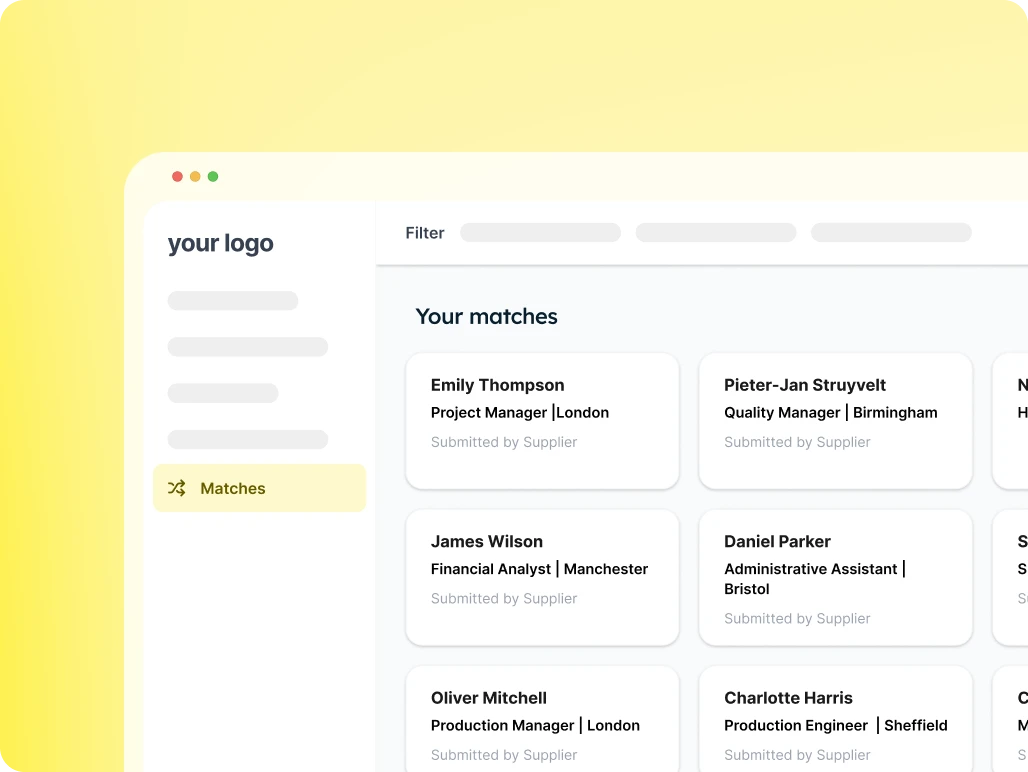
Candidate Presentation

Provide your client with an overview of suitable candidates for each vacancy and easily receive feedback.
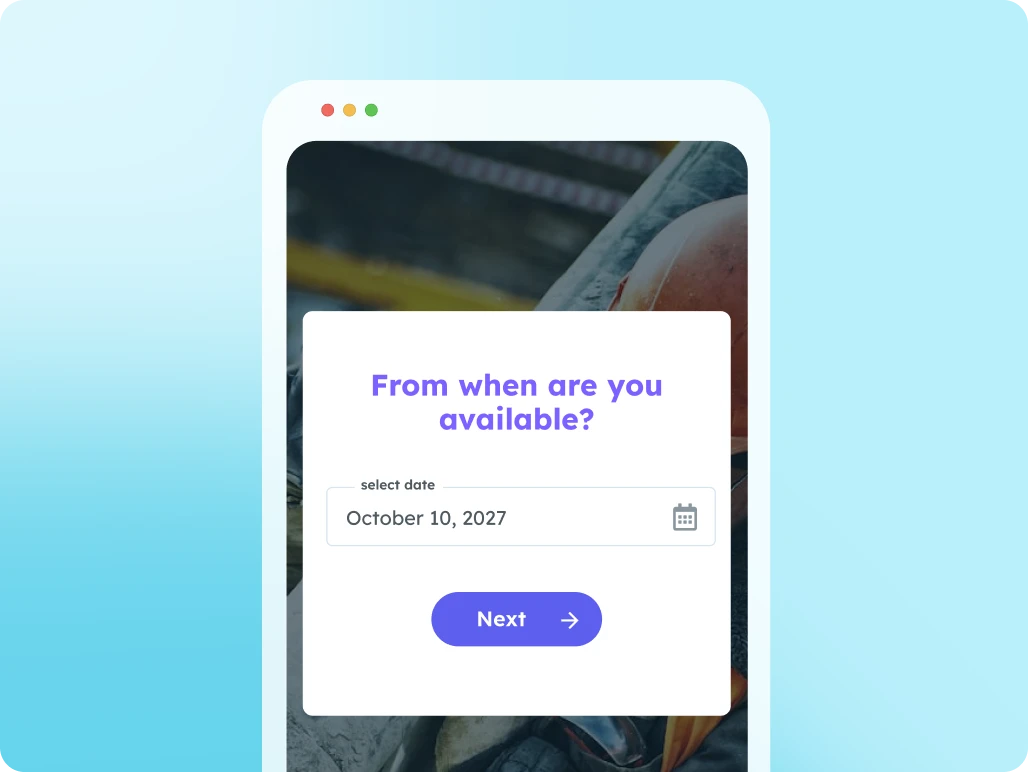
Availability Check

Use this page to let candidates submit their availability.

Supplier Portal

Work seamlessly with multiple suppliers at once: from sharing job openings to submitting candidates.
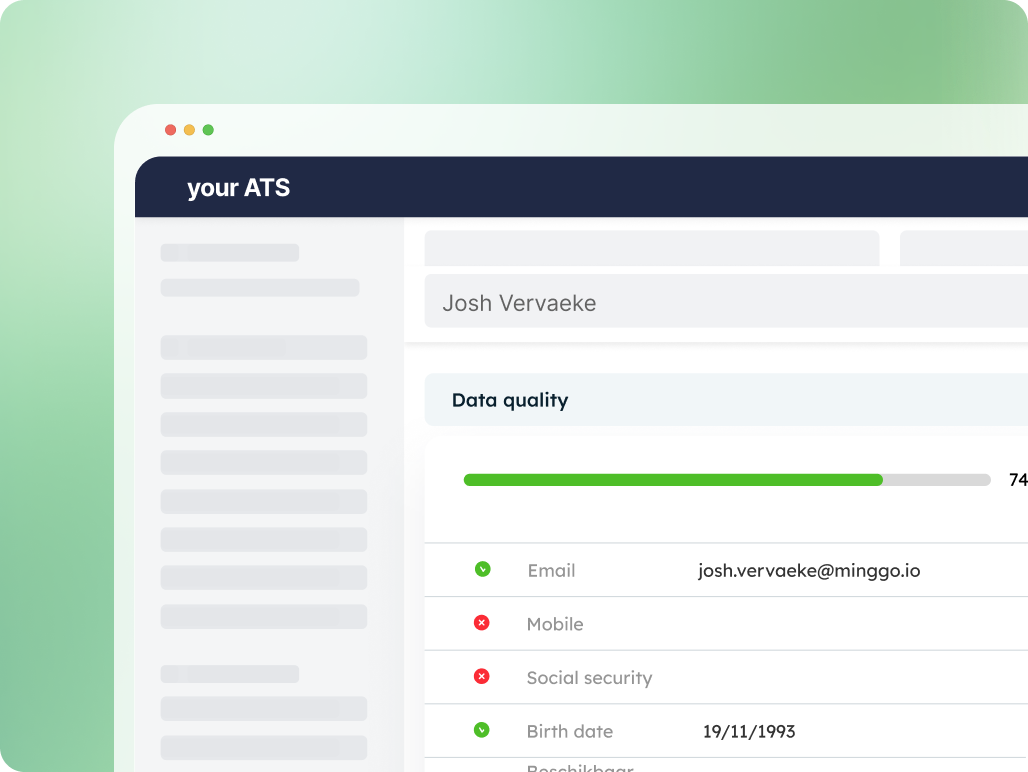
Data Quality Widget

Instant insight into the completeness of your data
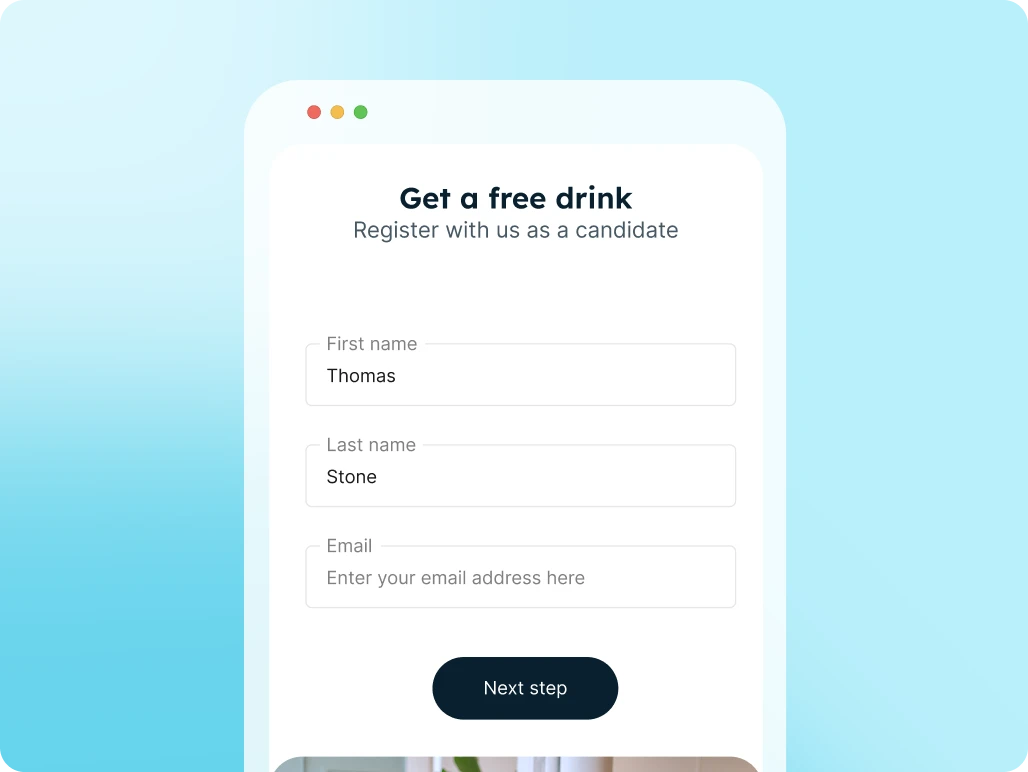
Registration Form

Candidates register themselves via a link or QR code and are immediately added to your ATS and talent pool.

FAQs

Minggo can do more than an FAQ can cover. Didn't find what you were looking for? Let us know!

Do I need technical knowledge to work with Minggo?

No. Thanks to the no-code builder, you can configure pages, forms, and workflows without any programming knowledge.

Do I need technical knowledge?

No. Thanks to the no-code builder, you can configure pages, forms, and workflows without any programming knowledge.

Do I need to replace my ATS to use Minggo?

No. Minggo works alongside your existing ATS and other systems. You add extra digital processes without replacing your current software landscape.

Can Minggo be customized to match my branding?

Yes. You can tailor logos, colors, text, and branding to your organization, so every portal feels familiar and professional.

Which systems can Minggo connect with?

Minggo can integrate with recruitment, payroll, and HR systems, so data from different systems comes together in one user-friendly experience.

How does Minggo handle data and security?

Minggo doesn't store data itself, but works through connections to your existing systems. This way data stays in trusted sources, while you can still build user-friendly portals, forms, and workflows with it.

How are fields linked to my ATS or other systems?

Fields in Minggo can be linked to your ATS, CRM, scheduling tool, or other data source. This way information flows automatically to the right place, without double data entry.

When is data sent?

You decide this per process. Data can be sent after a button click, on a fixed schedule via cron jobs, or in real time on changes via webhooks.

Can I still adjust my flows later?

Yes. Because Minggo is built no-code and flexibly, you can keep adjusting pages, forms, workflows, branding, and connections as your process changes.

Does Minggo store my data itself?

No. Minggo synchronizes information between systems without storing data itself. The data stays in your existing systems, while Minggo takes care of the flow and user experience.

What do integrations with Minggo solve?

Minggo connects your recruitment tools so information automatically flows between systems. This reduces duplicate administration, copy-paste work, and errors from outdated data.

Which systems can Minggo connect?

Minggo can connect ATS systems, CRMs, scheduling tools, payroll, finance tools, and external data sources such as KVK or Creditsafe, among others.

Do I need to replace my existing software?

No. Minggo works as a layer on top of your existing software. You keep working with your familiar systems, while Minggo connects processes and data more intelligently.

How can data be synchronized?

This can happen in different ways: via a button, on a fixed schedule with cron jobs, or in real time on changes via webhooks. You choose what works best per process.

Does Minggo store data itself?

No. Minggo synchronizes information between platforms without storing data itself. The data stays in your existing systems.

What does an ATS–midoffice integration mean?

An ATS–midoffice integration lets data from your ATS automatically flow to systems for administration, contracts, payroll, invoicing, or scheduling.

Which information can be forwarded?

Think of placement data, client data, rates, employment terms, pay conditions, contract information, hours worked, and other data needed for administration or invoicing.

Can data also be synced back to the ATS?

Yes. Minggo supports two-way synchronization, so information doesn't just go to the mid-office but can also come back to the ATS when needed.

Does the transfer always have to be automatic?

No. You decide per process whether data is sent automatically or only after a check and a click from a recruiter or back-office employee.

What does this deliver for recruiters and back office?

Less manual retyping, less follow-up checking, more up-to-date data, and more control over the process between placement, administration, contracts, and invoicing.

What does Minggo add on top of Bullhorn?

Minggo adds portals, forms, flows, and integrations on top of Bullhorn. This way you get more value from your Bullhorn data without replacing your ATS.

Which Bullhorn processes can Minggo digitize?

Think of application forms, profile enrichment, document uploads, candidate presentations, client portals, candidate portals, and automatic document generation.

Can Bullhorn data be used automatically in forms and portals?

Yes. Fields from Bullhorn can be used to pre-fill forms, portals, and documents, or to write information back to Bullhorn.

Can Minggo also show external data sources in Bullhorn?

Yes. One example is retrieving company information via KVK or Creditsafe, so recruiters can add information without separate tabs or copy-paste work.

Can Minggo for Bullhorn be managed no-code?

Yes. You can start from white label templates and customize pages, forms, styling, and flows with the drag & drop app builder.

What does Minggo do in combination with Byner?

Minggo can add digital portals, forms, and workflows on top of Byner, so candidates, clients, or internal teams can add or follow up on data in a user-friendly way.

Does Minggo store Bullhorn data itself?

No. Minggo synchronizes information between systems without storing data itself. The data stays in Bullhorn or the other connected data sources.

Which processes can you support with Byner and Minggo?

Think of registration flows, onboarding, profile enrichment, document follow-up, client portals, candidate portals, and workflows where data from Byner is used in digital screens.

Do users need to do extra work in Byner?

No. Minggo can make processes accessible through portals, forms, or flows, while the relevant data stays linked to Byner and other systems.

Can data from Byner be added to or updated?

Yes. Minggo can retrieve information, display it in a flow, and sync it back where needed, so data stays more up to date and requires less manual processing.

Does Minggo store Byner data itself?

No. Minggo synchronizes information between systems without storing data itself. The data stays in Byner or the other connected data sources.

What are prebuilt apps in Minggo?

Prebuilt apps are ready-made white label solutions for common recruitment processes, such as candidate portals, document flows, profile enrichment, registration forms, and job presentations.

Do I still have to build a prebuilt app entirely myself?

No. You start from an existing template that you can adapt to your own process, branding, and ATS fields.

Which prebuilt apps are available?

Examples include the candidate portal, client portal, supplier portal, document request flow, profile enrichment, application page, registration form, surveys, candidate presentation, and job presentation.

Can I customize a prebuilt app?

Yes. You can customize pages, forms, text, styling, fields, and workflows with the drag & drop app builder.

Are prebuilt apps connected to my ATS?

Yes. Prebuilt apps can be connected to your ATS or other data sources, so data is automatically retrieved or written back without double data entry.

What is a candidate portal?

A candidate portal is a personal online environment where candidates can track their applications, documents, profile information, and next steps.

What can a candidate do in the portal?

Candidates can, among other things, complete their profile, upload documents, track applications, share availability, view matching vacancies, and receive updates.

Why is a candidate portal useful for recruiters?

Recruiters get fewer scattered questions, less manual follow-up work, and better candidate data in the ATS. Candidates can add information themselves whenever it suits them.

Can the candidate portal match our branding?

Yes. The portal can be tailored to your own branding, so the experience feels recognizable and professional for candidates.

Does Minggo store candidate data itself?

No. Minggo synchronizes information with your existing systems without storing data itself. The data stays in your ATS or connected data sources.

What is a supplier portal?

A supplier portal is a central online environment where suppliers or external partners can follow up on vacancies, candidates, documents, and actions.

What do recruitment organizations use a supplier portal for?

For example, to let suppliers propose candidates, upload documents, view open vacancies, or manage matches and statuses clearly in one place.

What's the advantage over email?

All information is centralized, actions are clearer, and there's less chance that documents, feedback, or candidate updates get lost in separate emails.

Can a supplier add information themselves?

Yes. Suppliers can add information, upload documents, or take actions through the portal that are automatically linked to the right process.

Can the supplier portal be connected to my ATS?

Yes. The portal can be connected to your ATS or other systems, so data is automatically retrieved or written back without extra copy-paste work.

Can a candidate indicate whether a vacancy is interesting?

Yes. Candidates can approve or decline vacancies or share their interest, so recruiters know faster what to act on.

Is the candidate's response fed back to the ATS?

Yes. Candidate input can be automatically synced with your ATS or connected systems, so recruiters immediately work with up-to-date information.

What does job presentation deliver?

You increase the relevance of your communication, activate candidates faster, and prevent recruiters from having to manually email or follow up on vacancies.

What is a registration form in Minggo?

A registration form is a digital form that lets candidates sign up quickly via a link, QR code, tablet, or embed on your website.

Which information can I request?

You can request basic information such as name, email, and phone number, but also extra information such as availability, experience, preferences, or documents.

Does the registration end up in my ATS automatically?

Yes. The form can be connected to your ATS, so submitted data automatically lands in the right place and recruiters need to enter less manually.

Can I customize the form to match my branding?

Yes. You can tailor text, fields, colors, and branding to your organization, so the form feels professional and recognizable.

What is a registration form often used for?

For example, for job fairs, in-office sign-ups, campaigns, talent pools, or low-threshold candidate registration via a website or QR code.

What is the Document Request Flow?

The Document Request Flow automates requesting documents and information needed for, for example, a contract, file, or onboarding.

Which documents can I request?

Think of ID documents, driving licenses, bank details, diplomas, certificates, a certificate of good conduct, or other documents needed for your process.

How does the candidate receive the request?

The candidate receives a personal, branded upload page via a personal link. There they can submit documents safely and easily without an account.

Where do the documents end up?

The documents and data are automatically linked to the right record in your ATS or connected system, without separate emails or manual processing.

What is profile enrichment?

Profile enrichment is a flow that lets you automatically request missing or outdated candidate data and sync it back to your ATS.

Why is this better than requesting documents by email?

The process becomes safer, clearer, and less error-prone. Recruiters don't need to email privacy-sensitive data or chase it by phone, and candidates know exactly what's still missing.

What information can I have candidates complete?

Think of contact details, CV, availability, job preferences, skills, role requirements, experience, or other information recruiters need to match faster.

How does the candidate receive the flow?

The candidate gets a personal link to a short digital flow. The questions can be tailored to the target audience or campaign.

Why is profile enrichment valuable?

You make your database more reliable, reactivate passive candidates, and prevent recruiters from repeatedly having to call or email for missing information.

Is the added information processed automatically?

Yes. The answers can be automatically written back to the correct fields in your ATS, so recruiters work with more up-to-date data.

What is the Data Quality Widget?

The Data Quality Widget shows at a glance how complete your candidate, client, or vacancy data is in your ATS.

Which data can the widget check?

The widget can check, among other things, whether important fields for candidates, clients, or vacancies are filled in, such as contact details, availability, job details, or other required information.

Why is data quality important?

Complete and up-to-date data helps recruiters search faster, match better, and follow up more precisely without first clicking through every tab or field.

Can I see which information is missing?

Yes. The widget shows which fields are missing or need attention, so you can enrich, request, or prioritize them in a targeted way.

Does the Data Quality Widget work in my ATS?

Yes. The widget is designed to give you direct insight into data completeness within your existing ATS environment.

What is the Document Generator?

The Document Generator automatically creates filled-in documents based on data from your ATS or connected systems.

Do I need to fill in every document manually?

No. You create a template once and have it automatically filled with data from, for example, the candidate, client, vacancy, or placement.

Which documents can I generate?

Think of candidate CVs, contracts, quotes, client documents, or other documents you regularly recreate.

Can I create documents in my own branding?

Yes. Templates can be designed in your own branding, so documents look professional and recognizable.

What does the Document Generator deliver?

You save time, avoid copy-paste errors, and ensure documents are ready faster and more consistently for candidates, clients, or internal follow-up.

What is candidate presentation?

Candidate presentation is a digital flow or portal that lets you share candidate profiles professionally with clients.

Can a client give feedback?

Yes. Clients can review, approve, reject, or give feedback on candidates from one central environment.

What does the client see?

The client sees an overview of proposed candidates, including relevant profile information, CVs, documents, and any additional notes.

Does the status stay easy to track?

Yes. Recruiters can track which candidates have been viewed, reviewed, or approved, so communication doesn't get scattered across separate emails.

Can candidate presentation match my branding?

Yes. The presentation can be built in your own branding, so the experience stays professional and recognizable for your client.

What is an application page?

An application page is a branded page where you present a vacancy clearly and let candidates easily apply through a digital form.

Can I create application pages without a developer?

Yes. With the drag & drop app builder you create and edit application pages without technical knowledge or developer involvement.

What information can I show on an application page?

You can display job information, requirements, benefits, media, branding, and a user-friendly application form.

Are applications automatically sent to my ATS?

Yes. Application data can be automatically sent to your ATS, so recruiters don't have to retype everything manually.

Is the application page suitable for mobile?

Yes. Minggo is mobile first. Application pages are designed to give candidates a smooth experience on desktop, tablet, and mobile.

What does requesting availability mean?

Requesting availability means automatically asking candidates when they're available, so recruiters always work with the most up-to-date information in the ATS.

How does the candidate receive the request?

The candidate receives a personal link to a short flow where they can share their availability dates, working hours, or preferences. Candidates don't need to log in for this.

Is availability updated automatically?

Yes. The availability received is automatically written back to the correct fields in your ATS.

Why is requesting availability useful for recruiters?

Recruiters don't need to call or email back and forth as much to know who's available. They can match faster and work with reliable candidate data.

Can I adapt the questions to my process?

Yes. You decide which availability questions to ask and what the flow looks like, tailored to your target audience or type of vacancy.

What can a client do in the portal?

Clients can view open vacancies, review proposed candidates, give feedback, access documents, and take actions from one user-friendly environment.

What is a client portal?

A client portal is a central online environment where clients can follow up on vacancies, proposed candidates, documents, and ongoing recruitment processes.

Why use a client portal?

All information is centralized and easier to find. This means you lose less time on follow-ups, reminders, and scattered communication.

Can the client portal be connected to my ATS?

Yes. The client portal can be connected to your ATS or other systems, so jobs, candidates, documents, and statuses are automatically retrieved or updated.

Can a client approve or reject candidates in the portal?

Yes. Clients can review, approve, reject, or give feedback on candidates. Recruiters see the status and can follow up faster.

Which recruitment teams is Minggo for?

Minggo is designed for recruitment, staffing, temp agency, and HR organizations that want to digitize and automate their processes, and connect them better to their existing systems, such as an ATS, CRM, or HR tool.

Which challenges does Minggo help solve?

Minggo helps with common challenges such as too much manual administration, outdated data, scattered email communication, slow feedback, and processes that don't connect well with each other.

Does my team need to work in an extra system?

No. Minggo works on top of your existing systems. Teams keep working with their familiar systems, while Minggo adds portals, forms, and workflows wherever they create extra value.

How does Minggo help teams save time?

By automating repetitive tasks, such as requesting documents, enriching profiles, processing forms, following up with candidates or employees, and collecting feedback from clients or internal stakeholders.

Is Minggo suitable for organizations that already work with an ATS, CRM, or HR system?

Yes. Minggo is built to get more value out of existing systems. You don't need to replace your software — you can build digital touchpoints, automations, and better user experiences on top of it.

Can Minggo grow with my organization?

Yes. You can start small with one use case, such as an application page, document flow, or onboarding flow, and later expand to portals, profile enrichment, integrations, or complete digital journeys.